Newsletter plugin
- Quick start
- Writing newsletters
- Scheduling
- Subscribers & forms
- Welcome & lead magnet
- Pro plugin
- Templates
- AI Agents
General
Looking for the Facebook posting plugin? See its docs →
Subscribers & forms
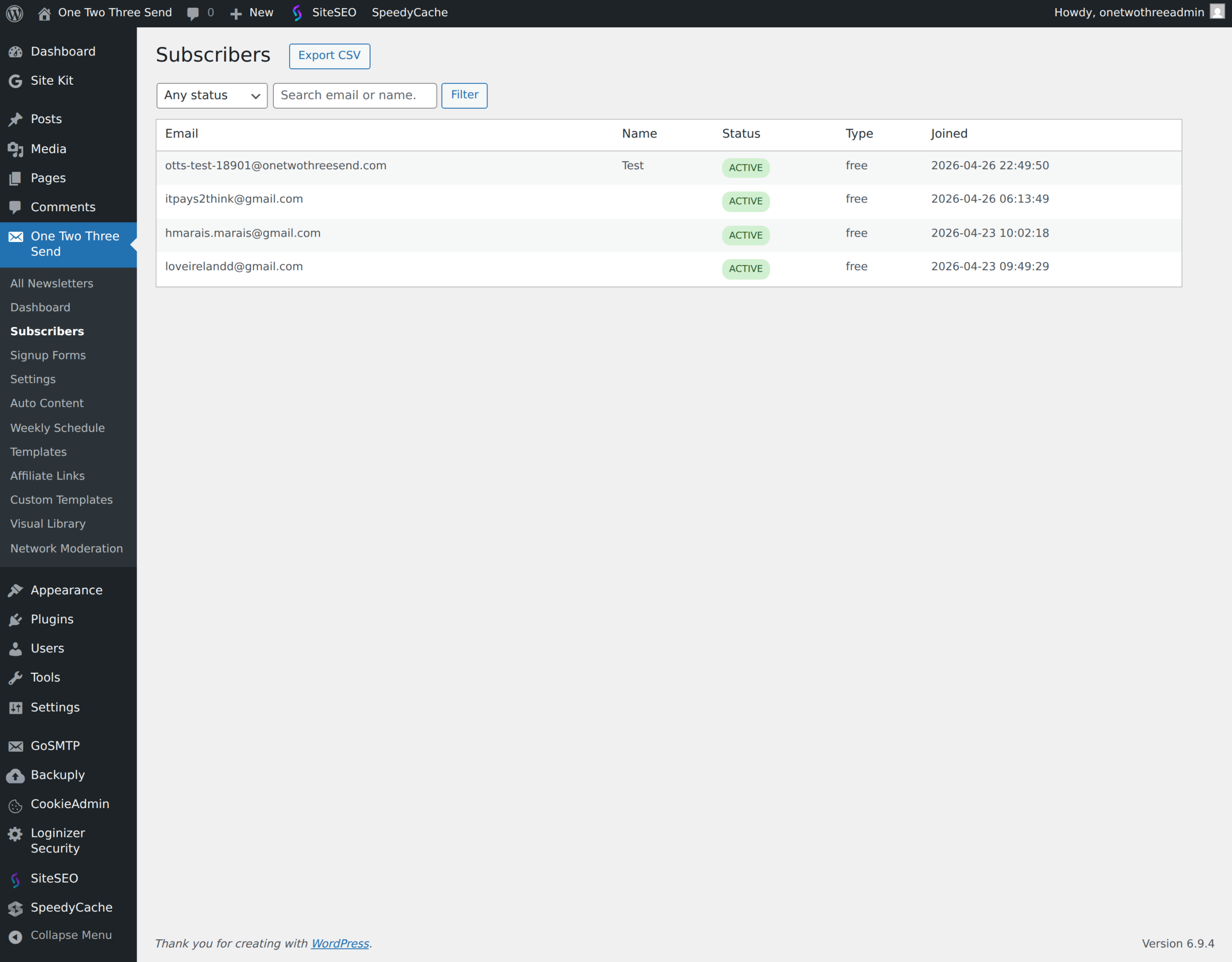
Subscribers live in your own WordPress database — no third-party CRM, no external sync required. Manage them under One Two Three Send → Subscribers.
The subscriber list
- Filter by status (active, unsubscribed, bounced) and by type (free, paid).
- Search by email or first name.
- Export CSV — pulls every subscriber matching your current filter, with email, name, status, type, joined date. Useful for backups and migrations.
How signups work under the hood
When someone submits a signup form, the plugin:
- Validates the email server-side.
- Inserts a row in
wp_otts_subscriberswith a 64-character random token. - Fires the
otts_subscriber_createdaction — used by the welcome email and lead-magnet handlers. - Returns success to the form’s JavaScript, which renders the success message.
Signup source attribution
From 2.0.17, the plugin records where each new subscriber came from. On every front-end pageview a small first-touch cookie (otts_ft, SameSite=Lax, 1-year TTL) captures the visitor’s referring host, the landing-page URL, and any utm_* query parameters. When that visitor later submits a signup form, the cookie payload is written into a new signup_meta JSON column on wp_otts_subscribers. First-touch wins — re-subscribing an existing email does not overwrite the original attribution.
The Subscribers admin table shows a Source column with a short label (UTM source / referring host / direct). The full JSON is in the row’s tooltip and in the CSV export under the source and signup_meta_json columns. Stripe and Beehiiv signups are tagged with utm_source=stripe and utm_source=beehiiv respectively, so paid and imported subscribers also carry source data.
No PII is stored in the cookie or the column — only the referring host (not the full referrer URL), the landing path, and UTM tags. Sites running a consent gate can suppress the cookie until consent is granted by hooking the otts_signup_attribution_consent filter and returning false until the visitor opts in.
One-click unsubscribe
Every email has an unsubscribe link in the footer — clicking it requires no login. The link encodes the subscriber’s email + their token; the REST endpoint verifies both before flipping the row to unsubscribed. GDPR-clean.
Admin notifications on new signups
From 2.0.18, the plugin can email your team every time someone signs up. Two recipient lists under Newsletter → Settings → Notifications: one for free signups, one for paid. The lists are separate because paid signups often go to a different stakeholder (sales / finance) than free signups (the editorial team).
The notification email goes out through the email provider you have configured on the Email Provider tab — not through WordPress’s default wp_mail() — so deliverability matches the rest of your traffic. If no provider is configured nothing is sent.
The message body includes the subscriber’s email, name (if collected by your signup form), subscription type, the source attribution from 2.0.17 (e.g. “otts_network / widget”), and a button that opens the subscriber’s row in the WordPress admin. Stripe paid signups and free→paid upgrades both notify the paid list. Resubscribes are intentionally skipped to avoid noise.
Click Send test notification to configured recipients on the same tab after saving to confirm the recipient list and provider are wired up before relying on it for real signups.
Inline signup form
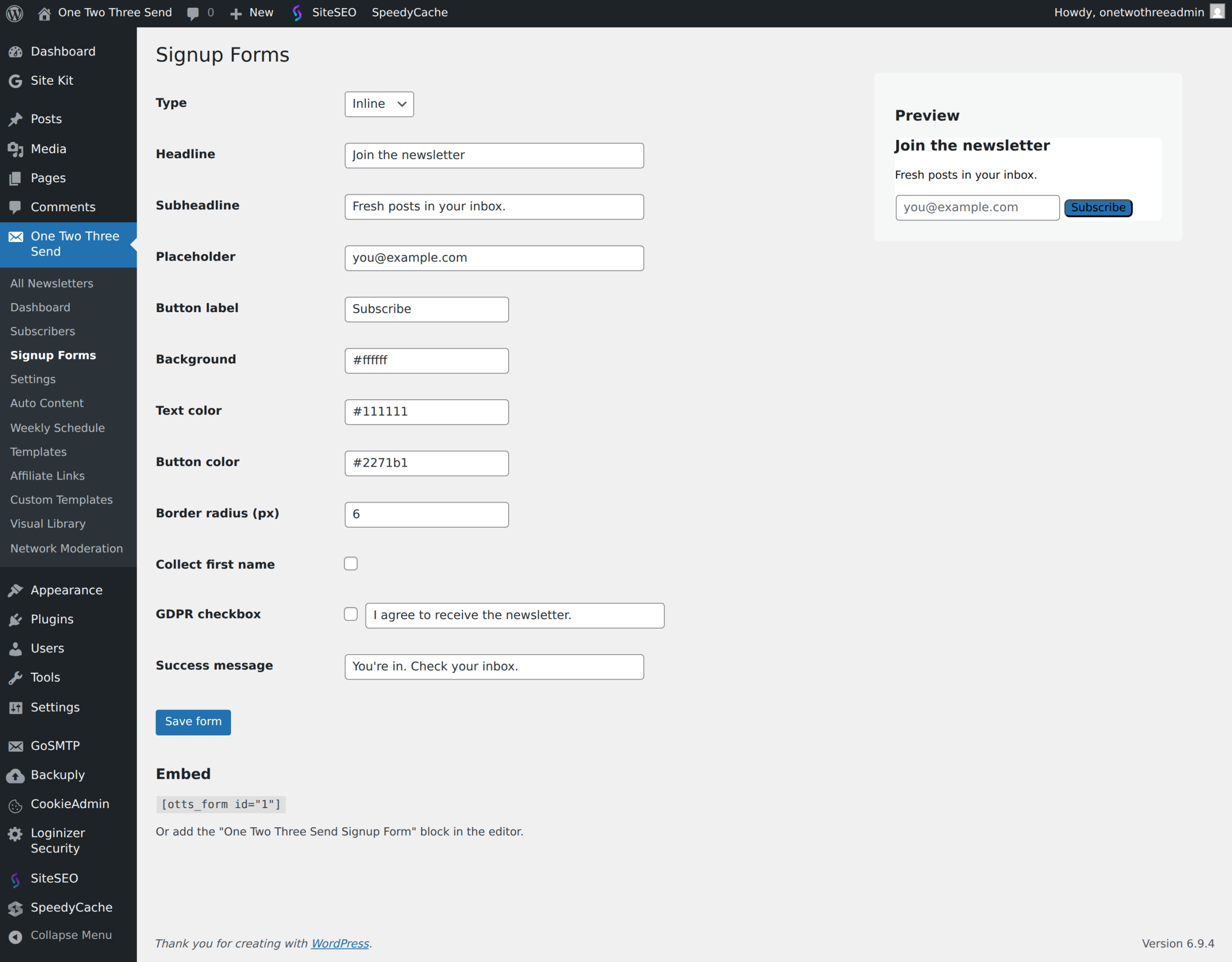
One Two Three Send → Signup Forms — visual builder with live preview. Set headline, subheadline, placeholder, button label, colours, border radius, GDPR consent checkbox, success message. Save.
Embed it
- Shortcode —
- Gutenberg block — search for “One Two Three Send Signup Form” in the block inserter.
- PHP —
<?php echo onetwothreesend_render_form( 1 ); ?>— drop into a theme template file.
Cache-safe
The form does not use a WordPress nonce. Nonces break under page caching (cached HTML = stale nonce). Spam protection is a hidden honeypot field — bots fill every input and get silently dropped, humans never see the field. Works under any cache plugin.
Email confirmation (double opt-in)
Double opt-in — also called confirmed opt-in (COI) — is the industry standard for newsletter signup integrity. When enabled, every new signup receives a short email with a confirmation link. The subscriber is not added to your active list, and no welcome email or admin notification fires, until they click that link. Bots that POST directly to the signup endpoint never open or click the email, so subscription-bombing attacks never produce a confirmed subscriber — even when bombs slip past upstream defences. Major ESPs (Mailchimp, Beehiiv, MailerLite, ConvertKit) all recommend or enforce this pattern to protect sender reputation.
Enable in Newsletter → Settings → Confirmation. Customise the subject, body, post-click landing copy, and link expiry (default 7 days). Pending subscribers show with status pending_confirm in the Subscribers list so you can see who has yet to confirm. Off by default; once enabled, existing active subscribers are not affected — only new signups go through confirmation.
Placeholders for the confirmation email body: {first_name}, {email}, {site_name}, {from_name}, {confirm_button} (a styled button — recommended), {confirm_url} (raw URL — useful as a fallback line for email clients that strip buttons).
Bot protection (Cloudflare Turnstile)
Cloudflare Turnstile is a free CAPTCHA replacement that blocks bots before they reach your signup endpoint. It analyses browser signals — JavaScript execution patterns, mouse movement, header anomalies, fingerprint signals — and challenges only when a request looks automated. For a real visitor the widget is usually invisible: a small “Verifying you are human” indicator appears for under a second and then disappears.
You do not need a paid Cloudflare subscription. Turnstile is part of Cloudflare’s free tier with unlimited requests. Your site does not need to use Cloudflare for DNS or CDN — Turnstile is delivered directly from challenges.cloudflare.com to your visitor’s browser. The only requirement is a (free) Cloudflare account so you can generate keys.
Setup (2 minutes)
- Sign in (or sign up) at dash.cloudflare.com → Turnstile.
- Click Add Site. Enter your domain (e.g.
example.com). Pick Managed mode — the default — which lets Cloudflare decide whether to show a visible challenge based on the risk score. Most legitimate visitors never see anything. - Copy the Site Key (public, starts with
0x) and the Secret Key (private). - In WordPress: Newsletter → Settings → Bot Protection. Tick Enable Turnstile, paste both keys, save.
The signup form will start rendering the Turnstile widget immediately. Failed verifications are silently accept-and-dropped — the bot receives a normal 200 OK response so it cannot fingerprint which defence rejected it.
What happens if Cloudflare is unreachable
The plugin defaults to fail-open: if Cloudflare’s verify endpoint times out or returns an error, the signup is allowed through and an entry is written to the WordPress error log. This keeps real signups working during the rare Cloudflare outage; your other defences (honeypot, IP rate limit, MX check, disposable-domain blocklist, and double opt-in if enabled) still apply. Operators who would rather reject during outages can flip to fail-closed with one filter: add_filter('otts_turnstile_fail_open', '__return_false');
Together with double opt-in, Turnstile gives a layered defence the industry recommends: Turnstile blocks the bot at the edge; double opt-in stops whatever bots slip through from ever becoming real subscribers. Each works without the other; the two together are the strongest reasonable defence for a self-hosted WordPress newsletter.
Popup and slide-in forms (pro)
The pro plugin adds two more form types: a centred popup (defaults: shows after 15 seconds) and a slide-in from the bottom-right (defaults: shows at 50% scroll depth). Both use a session-scoped cookie so the same visitor only sees them once. Set the type to Popup or Slide-in in the form editor.
Next: Welcome email & lead magnet.
Plugin screenshots
Mistyped email addresses
Since 2.1.6, a reader who mistypes their email domain is asked about it before they are subscribed. Someone who types gnail.com, houmail.com or gmail.coms sees “Did you mean…?” and can accept the correction in one click. Those domains are registered by typo-squatters: they answer DNS normally, so a standard email check accepts them, and then every message hard-bounces. Each bounce counts against your sending domain, and the reader never receives the welcome email they asked for.
The suggestion is advice, never a barrier. A reader at an unusual but real domain can say their address is correct and continue. Nothing is ever corrected silently, because rewriting an address would mean sending mail to a different person. Country domains such as yahoo.com.au, and real providers that sit close to a big one such as ymail.com and mail.com, are never flagged.
Developers: add your own with the otts_email_typo_map filter, change the providers the rules measure against with otts_email_typo_majors, and send email_typo_confirmed with a signup to accept an address as typed.