One Two Three Post — Facebook posting from WordPress
A separate free plugin for scheduling and publishing posts to Facebook Pages from inside WordPress. Distinct from One Two Three Send (the newsletter plugin), but shares the same admin design language. Install it from the wp.org directory at wordpress.org/plugins/one-two-three-post.
What it does
Connect a Facebook App, pick one of your Pages, write a message with an optional image, and either post immediately or schedule for later. A calendar view shows every scheduled / drafted / sent / failed post; a list view filters by day. A 5-minute WP-Cron worker fires due posts to the Facebook Graph API. Failed posts retry up to 3 times with the error visible.
Where to find it
After activation, a new top-level menu appears: One Two Three Post. Submenus:
- New / Compose — write a post.
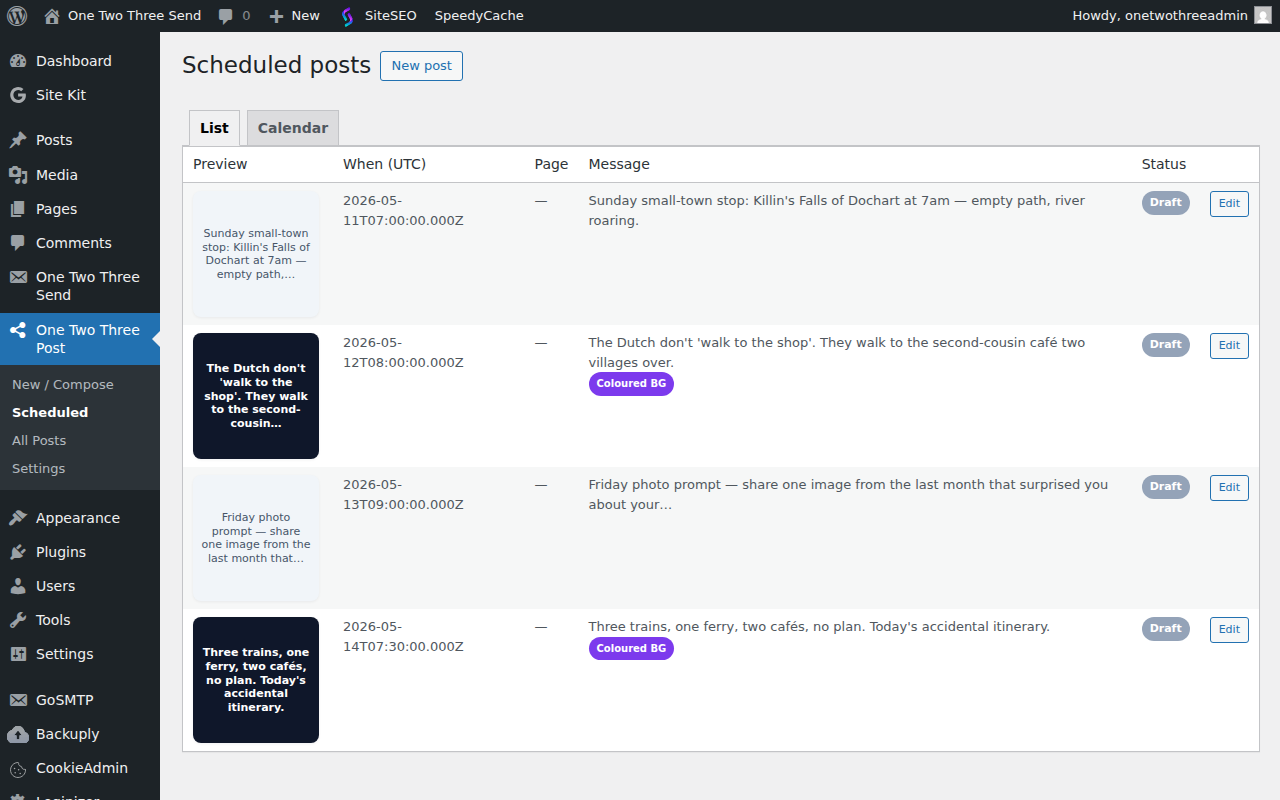
- Scheduled — calendar + list view of pending and recent posts.
- All Posts — the underlying WordPress post-type list (every post the plugin has tracked, including drafts and failed attempts).
- Settings — Facebook App credentials + connected pages.
Publishing transport — Direct Facebook or Publer
From 1.7.0 the plugin can deliver Facebook posts in one of two ways. Pick one from Settings → Publishing transport:
- Direct Facebook (default, original behaviour) — connect your own Facebook App, OAuth into a Page, the plugin posts via the Graph API. Best fit if Facebook is your only target network, or if you don’t already use a social-publishing SaaS.
- Publer — route through your existing Publer workspace. No Facebook App / OAuth setup needed — you paste an API token + workspace ID and pick which connected Facebook account in your workspace to publish to. Best fit if you already use Publer for cross-network publishing (FB / IG / LinkedIn / Threads / TikTok / X) — you don’t want yet another integration just for Facebook. Publer Business or Enterprise plan required (API access is gated to those tiers).
The composer, scheduler, queue, and (if you run the Pro plugin) the pre-publish validator chain behave identically for both transports. Only the final “ship this post” API call differs. You can switch transports without losing scheduled posts — though the active token / connected page on the new transport has to be set up first.
Setting up the Publer transport
- Inside your Publer account: Account → API Tokens → generate a new token. Copy it.
- Note your Workspace ID — visible in the URL when you have a workspace open in the Publer UI.
- In WordPress: One Two Three Post → Settings → set Transport to Publer → paste the token + workspace ID → Save.
- Refresh the page. The plugin calls Publer’s accounts endpoint, finds the Facebook accounts inside your workspace, and shows them in the Facebook account picker. Pick the page you want to publish to → Save.
- Click Test Publer connection to confirm. A green notice with an account count means the token + workspace are live.
First comment + Publer. Publer’s API accepts a first-comment string in the same publish request and posts it server-side after the parent. The plugin uses delay: 0 minutes so the comment fires immediately. No separate scope or token needed; Publer handles the comment authentication on its side.
Coloured-background text posts on Publer. Facebook’s native text_format_preset_id field is not exposed by Publer’s public API. If you select the Coloured-background post type while the Publer transport is active, the post will publish as a plain text status (no coloured background). Switch back to Direct Facebook if you need the native coloured-background look.
Pricing. The Publer API is on the Business and Enterprise plans. The free plan + Solo plan do not expose API access. If you’re on a lower tier, either upgrade Publer or use the Direct Facebook transport — both are fully supported by the plugin.
Connecting a Facebook account
Facebook requires you to create your own Facebook App as the bridge between WordPress and the Graph API. There is no shared app — every install authenticates its own. The setup is a one-time per-site task:
- Visit developers.facebook.com/apps and create an App (type: Business).
- Under Facebook Login → Settings, add this site’s OAuth redirect URI. The exact URI is shown on the plugin’s Settings page.
- Copy the App ID and App Secret into the plugin’s Settings page under Facebook App credentials. The secret is stored encrypted with your WordPress authentication keys.
- Click Connect to Facebook. Approve the requested permissions:
pages_manage_posts(publish),pages_manage_engagement(comment on the page’s own posts — required by the optional first-comment feature, added in 1.6.2),pages_read_engagement(read comment counts), andpages_show_list(discover which pages you manage). - The pages your account manages now appear in the Composer’s page picker.
Composing a post
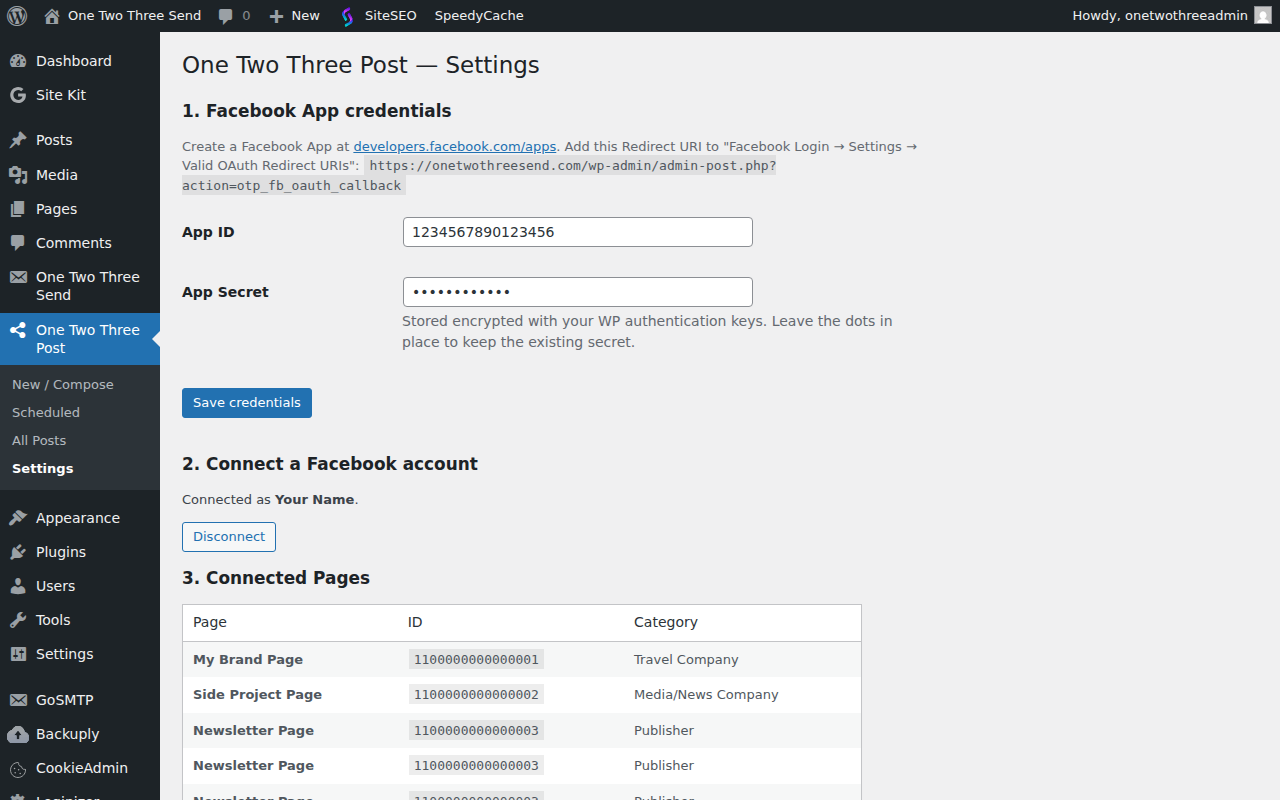
Pick a Page, write the message, attach an image from the WP media library (optional), choose post type, decide whether to send now or schedule for later. Facebook requires scheduled posts to be at least 10 minutes in the future.
Native coloured-background text posts
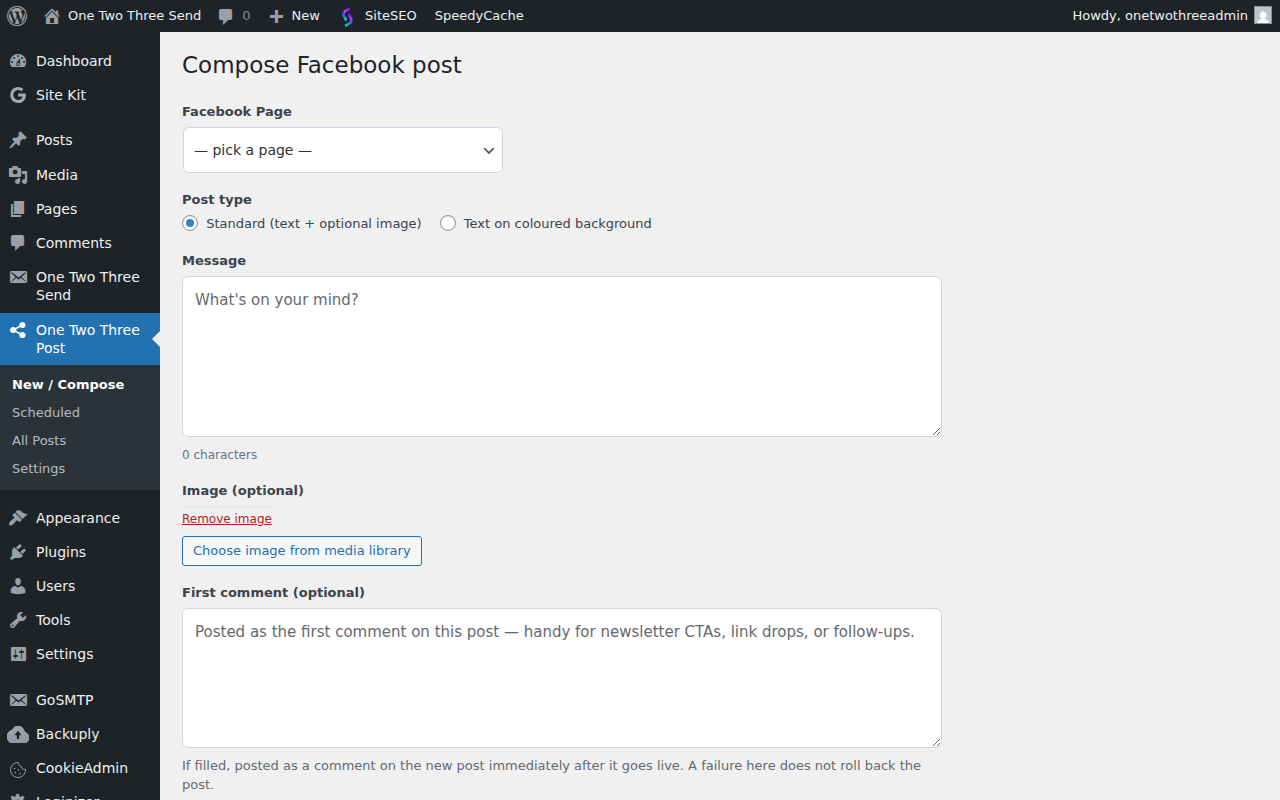
Facebook supports a “text on coloured background” format for short, image-free posts. The plugin ships 41 background presets taken from a verified-working list, plus a custom-preset-ID field for Pages with brand-specific palettes. Pick a preset from the Composer; the rendered preview shows roughly what Facebook will display.
Optional first comment
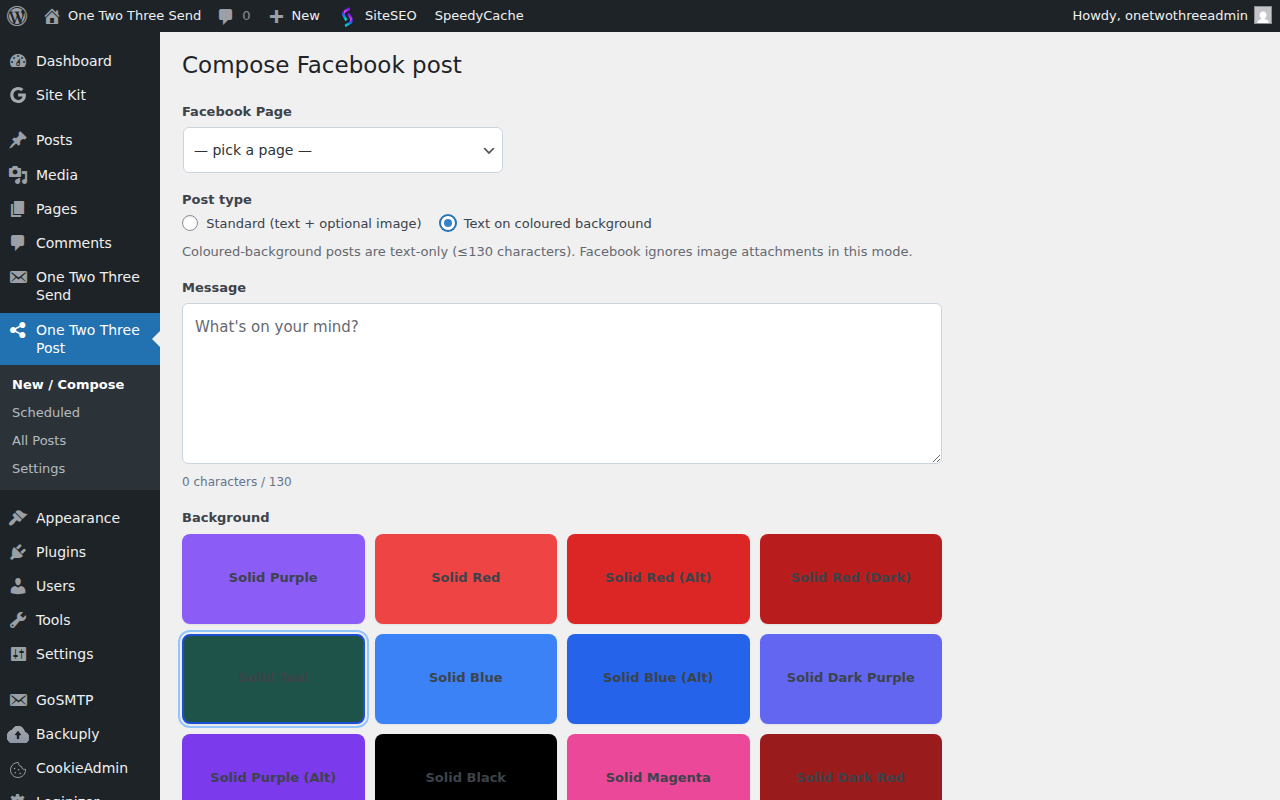
If you connected your Facebook account before plugin 1.6.2 the page access token you currently hold is missing the pages_manage_engagement scope, and the first-comment will fail with (#200) You do not have sufficient permissions to perform this action. Go back to Settings → Connect to Facebook to reauthorize and grant the new scope. The reconnection preserves your existing app credentials and pages — only the token gets refreshed.
Most operators put their primary call-to-action — newsletter signup, article link, follow prompt — in a first comment rather than the post body, because Facebook deprioritises posts with external links in the body. Toggle “Add a first comment” in the Composer and write the comment text; it is posted automatically by the plugin a second after the main post lands. If the comment fails (rate limits, deleted post, etc.) the main post is not rolled back — failures are logged for review.
Video posts (1.8.0+)
The plugin can publish a video to any connected Page via REST: POST /otp/v1/video with page_id, file_url (a public https:// link to the video file), and optional description and title. Facebook downloads the video from the URL itself — nothing large is transferred through your site. Authenticate with a WordPress application password for a user with edit_posts. Built for automations that publish rendered or scheduled video; it uses the same Page connection as the composer, so there is no extra setup beyond connecting Facebook. From 1.8.1 you can pass an optional first_comment, posted on the video right after it publishes, and POST /otp/v1/comment (page_id, post_id, message) adds a comment to any existing Page post.
Scheduling
Pick any future time when composing. A WP-Cron worker fires every 5 minutes and pushes any post whose scheduled_at time has elapsed to the Facebook Graph API. Failed posts retry up to 3 times with exponential backoff; persistent failures are flagged in the All Posts list with the underlying error message visible.
If your site has very low traffic, WP-Cron may not fire reliably (WP-Cron piggybacks on page views). The plugin’s readme describes how to set up a real server cron at /wp-cron.php if needed — your host’s control panel usually has a UI for it.
Calendar and list views
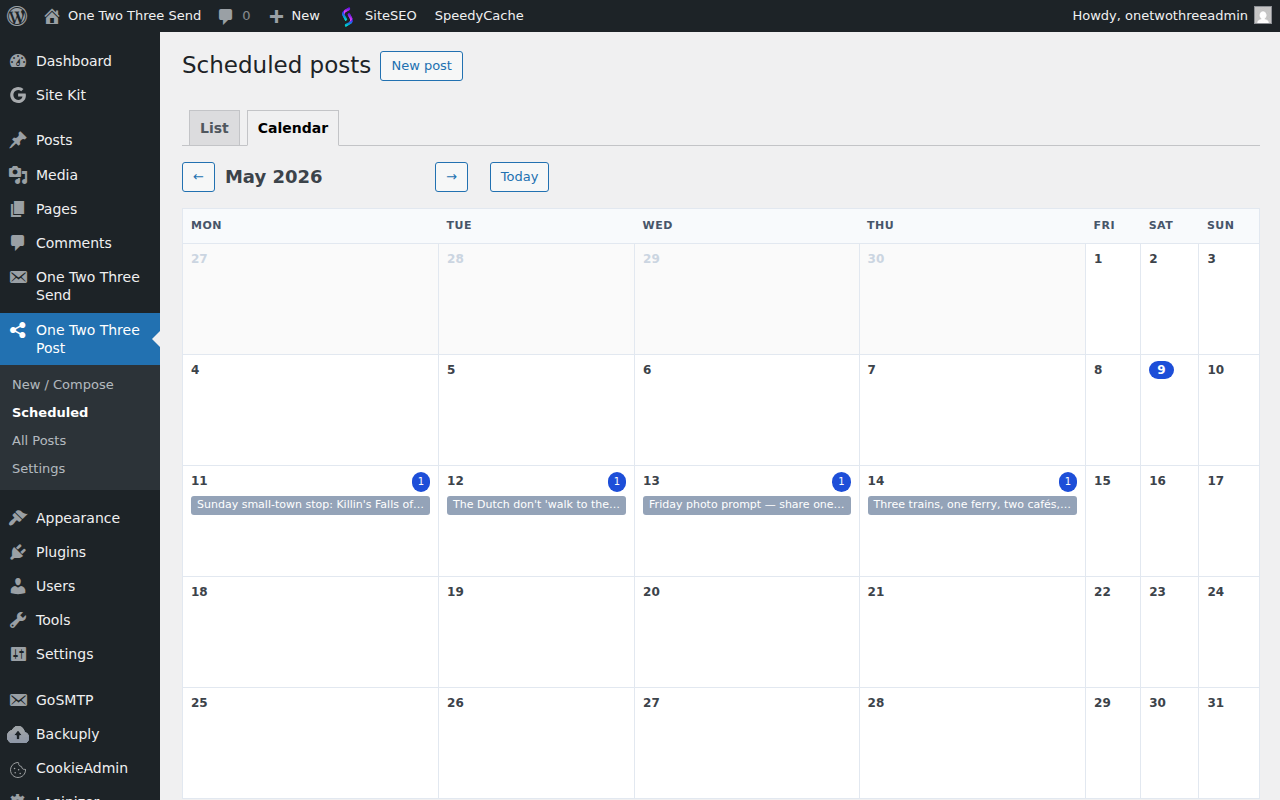
The Scheduled page has two tabs:
- Calendar — month grid showing every scheduled / drafted / sent / failed post for the current month. Click any day to filter the list to just that day. Month nav via the query string (
?cal_month=YYYY-MM). - List — chronological table of every post in a configurable window (default: 30 days back + 60 forward). Status pills show pending, sent, failed at a glance.
Permissions and security
App credentials and OAuth tokens are stored encrypted in wp_options, keyed off your WordPress authentication salts. Composer + Settings require edit_posts / manage_options capability respectively. No third-party servers receive your tokens — calls go directly from your WordPress install to graph.facebook.com.
What the plugin does NOT do
Intentionally narrow scope:
- No multi-network publishing. Facebook Pages only. Instagram and other Meta surfaces are not supported.
- No AI-generated post copy in the free plugin. You write each post yourself in the Composer.
- No multi-page automation. Each post is composed and scheduled individually.
- No analytics dashboard. Engagement metrics live on Facebook Page Insights.
For developers — extension hooks
From v1.5.0 onwards the publish path in OTTPOST_Scheduler::publish_post() exposes three integration hooks so add-on plugins can extend the scheduler without modifying the free plugin. The companion One Two Three Post Pro plugin uses these to plug in a pre-publish validator chain; you can use them for anything similar.
apply_filters( 'ottpost_pre_publish_validate', null, $post_id )— runs immediately before publishing. Return aWP_Errorto block the publish; the error message is recorded on the post as_ottpost_last_errorand the post moves topendingstatus.apply_filters( 'ottpost_publish_args', $args, $post_id )— mutate the Graph API payload (page_id,message,attachment_id,post_type,bg_preset_id, etc.) right beforeOTTPOST_FB_API::publish()is called.do_action( 'ottpost_after_publish', $post_id, $result )— fires post-attempt with the result array. Use for logging, telemetry, queue-state bookkeeping.
Hooks are inert without listeners — sites without an add-on installed see no behaviour change.
Roadmap
One Two Three Post Pro is now available. The first release ships a pre-publish validator chain — AI-image filename blocks, image & caption deduplication, banned-word matches, seasonal-content checks — that runs against every queued post before the free plugin sends it to Facebook. See the Pro plugin docs for what each validator checks, how to install, and how subscriber verification works. Free to verified subscribers of the daily newsletter, same model as One Two Three Send Pro.
Later phases — a 24-hour rolling queue with configurable content mix, an image pipeline with perceptual-hash dedup, and first-comment automation — are on the roadmap but not yet shipped. Updates appear on the Changelog.