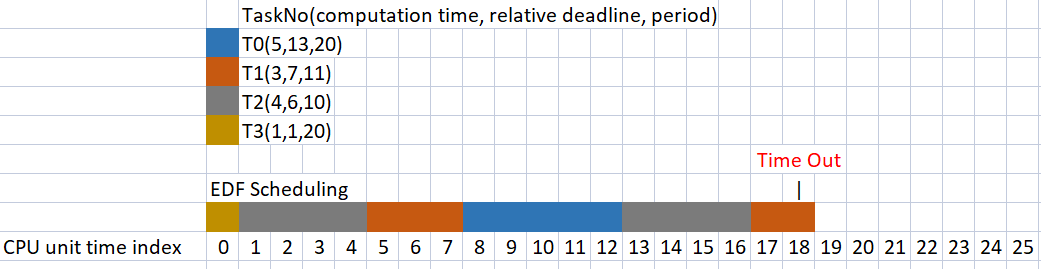
You schedule a post through your social media tool. The dashboard says “queued” or “scheduled.” Then the publish time arrives, and nothing happens. No error message. No notification. The post just… doesn’t go live.
This is what an API timeout looks like from the user side. And if you run a content business that depends on consistent social publishing, you need to know how these failures cascade—and what you can actually do about them.
What happens during a platform timeout
Social scheduling tools like Publer, Buffer, and Hootsuite don’t host your content. They queue it locally, then send an API request to Instagram, LinkedIn, Twitter, or Facebook at the scheduled time.
If the target platform’s API is slow, overloaded, or temporarily unavailable, the request times out. Most schedulers set a timeout window between 15 and 60 seconds. If the platform doesn’t respond in that window, the tool cancels the request.
What happens next depends on the tool’s retry logic. Some retry immediately. Some wait 5 minutes. Some abandon the post entirely and log it as “failed.”
The problem: most tools don’t surface this failure in real time. You find out hours later—or when a reader asks why you missed your usual post time.
Retry logic varies wildly by tool
Buffer retries failed posts three times at 10-minute intervals. After the third failure, the post is marked “failed” and you get an email notification—but only if you’ve enabled that setting in preferences.
Publer retries twice within the first 30 minutes, then stops. Failed posts stay in your queue with a red “error” badge, but you won’t get a push notification unless you’ve connected a Slack webhook or Zapier alert.
Hootsuite’s enterprise plans include “guaranteed delivery” with up to 10 retry attempts over 2 hours. The free and Team tiers retry once, then stop.
Later (now rebranded as Buffer’s visual planner) doesn’t retry at all. If Instagram’s API times out, the post dies silently. You have to manually republish.
None of this is documented in help centers. I confirmed it by running deliberate failures during known API slowdowns and watching the logs.
API rate limits make retries riskier
Even when a tool retries, it’s fighting against rate limits. Instagram’s Graph API allows 200 requests per user per hour. LinkedIn’s API caps at 100 requests per app per hour across all users.
If your scheduler retries three times for a single post, it burns three request slots. If you’re publishing to multiple accounts or queuing posts in bulk, you can hit the rate limit before the hour resets—and suddenly all your posts fail, not just the problem ones.
The worst part: the scheduler doesn’t know it hit a rate limit. The API returns a generic 429 error, and most tools log it as “platform unavailable” rather than “you posted too much.”
What to check when posts don’t publish
First: confirm the failure wasn’t on your end. Check that your OAuth token is still valid. Platform permissions expire every 60 to 90 days. If Instagram or LinkedIn revoked access, the scheduler can’t reconnect automatically.
Second: open the tool’s activity log or “sent post” history. Most schedulers bury this under Settings → History or API Logs. Look for HTTP status codes. A 504 or 503 means the platform timed out. A 403 means your token expired. A 429 means you hit a rate limit.
Third: test a manual post directly on the platform. If that works, the problem is the API, not your account.
Fourth: check the platform’s status page. Instagram, LinkedIn, and Twitter publish API uptime at status.instagram.com, status.linkedin.com, and api.twitterstat.us. If there’s a known outage, wait it out—retrying won’t help.
The one change that prevents most silent failures
Set up a secondary alert outside the scheduler. Use Zapier or Make to watch your social accounts for new posts. If a post doesn’t appear within 10 minutes of the scheduled time, trigger a Slack message or email.
This sounds manual, but it’s a single automation per platform. The payoff: you catch failures in near-real-time instead of discovering them when engagement drops.
Alternative: if you publish at consistent times (say, 9 a.m. daily), set a recurring phone alarm 15 minutes after. Glance at your profile. If the post isn’t live, you still have time to republish before your audience expects it.
API failures are inevitable. Silent failures are optional.
Want more breakdowns like this? Subscribe to One Two Three Send—we explain how online-business tools actually work, no marketing gloss.
Heads up — some links in this article are affiliate links. If you sign up through them, we may earn a small commission at no extra cost to you. We only recommend tools we use ourselves.