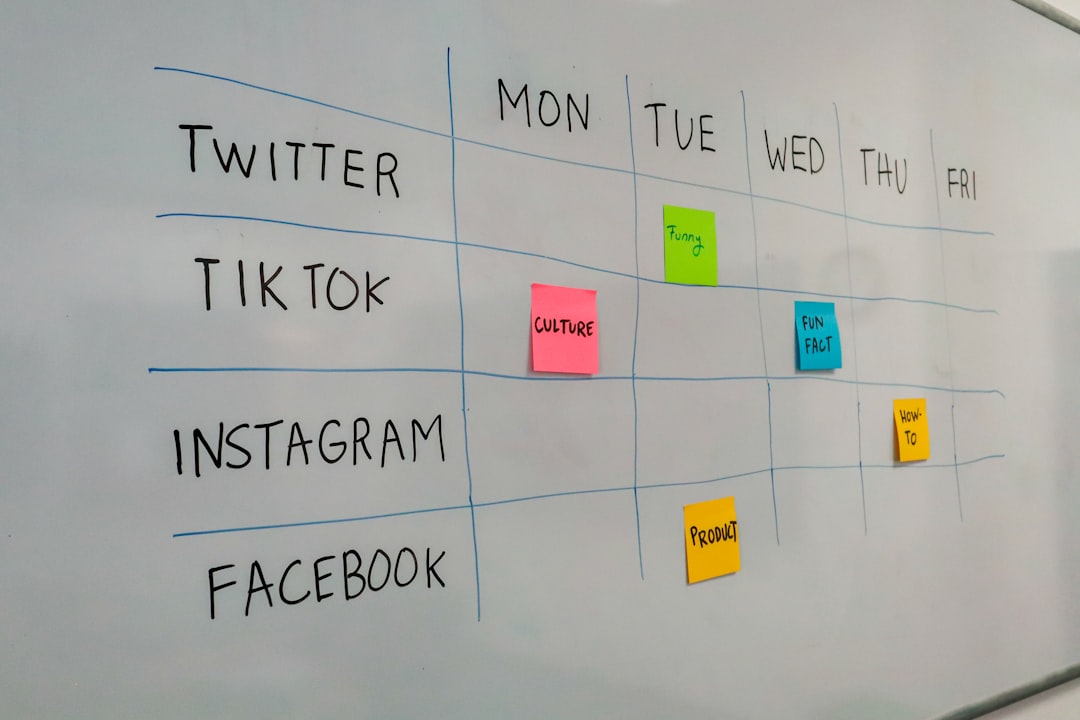
Social media scheduling tools promise seamless queue management across platforms. But if you’re building custom workflows—Zapier automations, Make scenarios, or direct API integrations—you’ll quickly discover that “draft” doesn’t mean the same thing to every tool.
Most social schedulers expose a publish endpoint and a queue endpoint. What they don’t expose cleanly: draft state, revision history, or partial edits. When you push a post via API, it’s either scheduled or it’s not. The in-between states that exist in the web UI often vanish when you automate.
What draft state actually means
In most scheduling tools, a draft is a post that exists in the database but hasn’t been assigned a publish time. It’s a holding area. You can edit it, attach media, add tags, then decide later whether to schedule or delete it.
But APIs don’t mirror this workflow. Most tools require you to pass a scheduled_at timestamp when you create a post via API. If you don’t, the post either publishes immediately or throws an error. There’s no “save this as a draft and let me come back to it” option.
Publer is one exception—it allows null scheduling via API and treats those posts as drafts. But even there, you can’t retrieve draft metadata like “last edited by” or “created from automation.” The web UI shows that context; the API doesn’t return it.
What breaks when you automate
Here’s a common workflow: you use an AI tool to generate social copy variations, push them to your scheduler as drafts, then manually review and approve each one before it goes live.
If your scheduler’s API doesn’t support true draft state, you’re forced to pick a workaround:
- Schedule everything far into the future (e.g., December 31, 2030), then manually move posts forward. This clutters your queue and makes it hard to see what’s actually scheduled.
- Store drafts in a separate tool (Notion, Airtable, a Google Sheet), then manually copy-paste into your scheduler. This defeats the purpose of automation.
- Push directly to the platform API (Twitter, LinkedIn, Instagram) and skip the scheduler entirely. This works, but you lose centralized analytics and multi-platform posting.
None of these are clean. All of them add friction back into a workflow you were trying to automate.
Which tools handle drafts cleanly
I tested five popular schedulers to see which ones preserve draft state when you create posts via API:
- Publer: Full draft support. You can POST to
/postswith nodatefield, and it saves as a draft. You can retrieve drafts via GET and update them later. - Buffer: No draft support. Every API call requires
scheduled_ator the post publishes immediately. The web UI has a drafts tab, but you can’t create drafts programmatically. - Later: Partial support. You can create “unpublished” posts, but they’re tied to a specific calendar slot. Moving them requires a separate PATCH request, and there’s no way to bulk-retrieve unpublished items.
- Hootsuite: No API access to drafts. You can create scheduled posts, but anything without a timestamp is rejected.
- Metricool: Similar to Buffer—scheduled or live, no in-between.
If draft state matters to your workflow, Publer is the only tool in this group that treats it as a first-class API feature.
How to route around it
If you’re locked into a scheduler that doesn’t support drafts via API, here’s what works:
Use a staging tag. Create a unique tag like draft-pending and attach it to every post you create programmatically. Schedule everything for a distant date, filter your queue by tag, and batch-review. When you approve a post, remove the tag and reschedule it.
Build a lightweight draft layer. Store draft content in Airtable or Notion, mark each row as “approved” or “pending,” then trigger a Zapier or Make automation that only schedules posts marked approved. This adds a table to maintain, but it gives you full control over state.
Use webhooks to pull, not push. Instead of pushing drafts into your scheduler, set up a webhook that fires when you mark a draft “ready” in your CMS or AI tool. The webhook calls your scheduler’s API at that moment—no orphaned drafts, no clutter.
None of these are as clean as native draft support, but they’re predictable and won’t break when your scheduler updates its API.
What to ask before you automate
Before you wire up a social scheduling automation, check the API docs for these three things:
- Can I create a post without a
scheduled_attimestamp? - Can I retrieve posts that haven’t been scheduled yet?
- Can I update a draft after creation without republishing it?
If the answer to any of those is no, plan your workaround before you build. Draft state isn’t a nice-to-have—it’s the difference between a smooth review process and a queue full of junk you can’t easily filter.
Want more tooling breakdowns like this? Reply and tell me which API quirks cost you the most time—I’ll cover it in a future piece.
Heads up — some links in this article are affiliate links. If you sign up through them, we may earn a small commission at no extra cost to you. We only recommend tools we use ourselves.