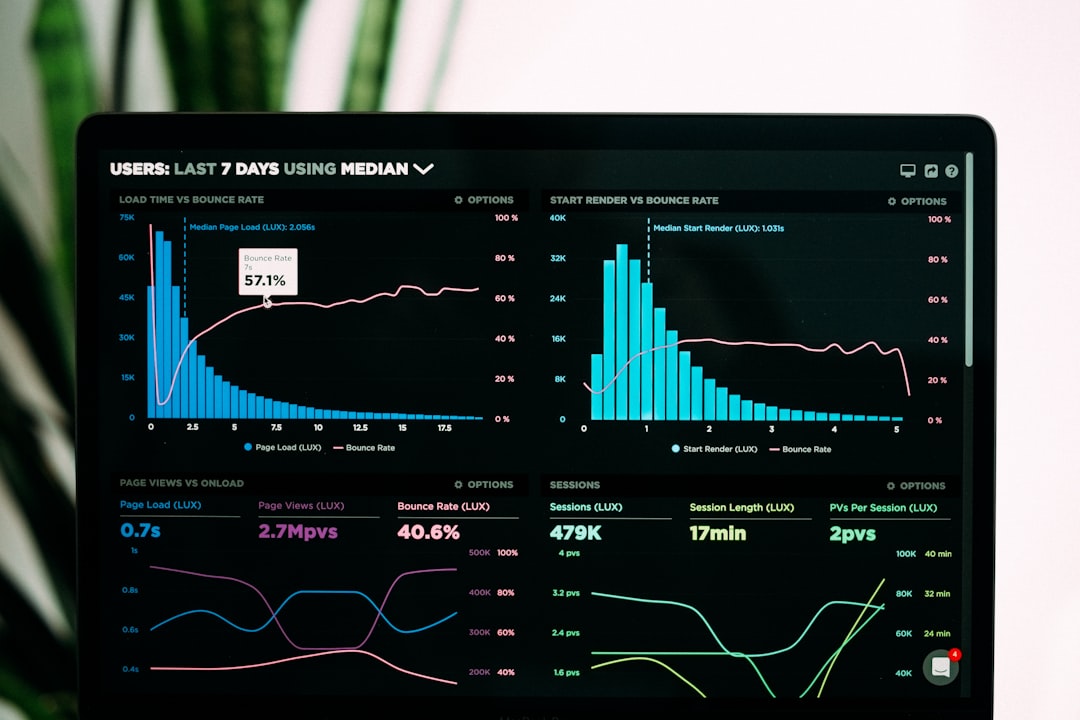
Most analytics platforms don’t show you every visitor. On free and starter plans, tools like Google Analytics 4, Fathom, and Plausible apply data sampling once you cross certain thresholds—sometimes without telling you clearly in the dashboard.
Sampling means the platform processes a subset of your traffic and extrapolates the rest. For solo operators running content sites or newsletters, this can distort the metrics you’re optimizing for: which posts drive signups, which UTM sources convert, and how long readers stay.
Here’s what sampling looks like in practice, when it kicks in, and how to tell if your numbers are directionally wrong.
What gets sampled and what doesn’t
Sampling typically applies to custom reports, segments, and date-range queries—not the default real-time or overview dashboards. If you filter traffic by UTM campaign, landing page, or device type over a trailing 90-day window, you’re more likely to hit sampling.
Google Analytics 4 samples when a query touches more than 10 million events in the selected property and date range. For a site logging 50,000 monthly sessions with typical event instrumentation (page views, scrolls, clicks), you’ll cross that threshold in about six months of retained data.
Plausible and Fathom don’t sample on their paid plans, but their free tiers and trials cap total event volume. Plausible’s free plan allows 10,000 monthly page views before sampling or blocking; Fathom’s trial is capped at 30 days and 100,000 page views, after which data stops flowing entirely unless you convert.
The metrics most affected: conversion funnels, cohort retention, and multi-touch attribution. Sampling drops edge-case paths—your highest-intent visitors often behave differently from the median, so a 10% sample may miss the behavior that matters most.
How to spot sampling in your reports
Google Analytics 4 shows a green checkmark or yellow warning icon at the top of exploration reports. The yellow icon means your query was sampled; the percentage shown (e.g., “based on 8.3% of sessions”) tells you how much data was used.
If you’re running a custom segment—say, traffic from a specific referrer with a conversion event—and the icon shows sampling, your funnel metrics are modeled estimates, not raw counts.
Plausible and Fathom don’t display sampling warnings because they don’t sample on paid plans. If you’re on a free or trial tier and your traffic exceeds the cap, you’ll see a hard cutoff: events stop logging, or the dashboard shows partial days.
Other platforms—Mixpanel, Heap, Amplitude—offer generous free tiers but throttle or sample retroactively once you exceed event limits. Mixpanel’s free plan caps at 20 million monthly events; past that, older data gets archived and queries slow down or return incomplete results.
When sampling breaks your decisions
Sampling matters most when you’re optimizing for conversion rate, attribution, or cohort behavior. If you’re A/B testing two landing pages and your analytics tool samples the traffic, a 2% lift in conversions might be noise, not signal.
Example: You’re tracking newsletter signups from three UTM sources—organic search, Twitter, and a paid Facebook campaign. GA4 samples your 90-day report at 12%. The dashboard shows Twitter driving 40 signups and Facebook driving 38. In reality, Facebook drove 52 and Twitter drove 29—but the sample skewed toward a few high-traffic Twitter days.
You reallocate budget based on bad data. Two weeks later, your cost per signup doubles.
Sampling also hides outlier sessions: your longest time-on-page visits, your highest scroll depths, and your multi-page readers. These are your most engaged users, and they’re statistically rare. A 10% sample has a lower chance of capturing them.
How to avoid or reduce sampling
The simplest fix: narrow your date range and segment size. Instead of querying 90 days of traffic with five filters, query 30 days with two. If GA4 still samples, break the report into weekly chunks and aggregate manually in a spreadsheet.
If you’re on Google Analytics 4 and sampling is chronic, consider exporting raw event data to BigQuery. GA4’s BigQuery export is free for up to 1 million events per day on the free tier, and queries run on unsampled data. The learning curve is steep—you’ll need SQL and a basic understanding of GA4’s event schema—but it’s the only way to guarantee complete data at scale.
For operators who don’t want to manage SQL, switching to a paid analytics plan eliminates sampling. Plausible starts at $9/month for 10,000 monthly page views with no sampling. Fathom starts at $14/month for 100,000 page views, also unsampled. Both platforms count page views, not events, so instrumentation is simpler.
If you’re running a high-traffic site (500,000+ monthly page views), expect to pay $50–$100/month for unsampled analytics. That’s the floor for tools that process every session.
One more thing: sampling isn’t always disclosed
Not every platform tells you when data is modeled or incomplete. If your dashboard shows a suspiciously round conversion rate—exactly 5.0%, not 4.87%—or if your funnel drop-off percentages don’t add up to 100%, you’re probably looking at sampled or aggregated data.
Test this by exporting a raw event log (if your tool supports it) and comparing totals to the dashboard. If the counts don’t match, ask support whether sampling is applied and at what threshold.
For newsletter operators and solo founders, unsampled data isn’t perfectionism—it’s the difference between knowing which traffic source pays for itself and guessing based on a model that drops your best readers.
Want more breakdowns like this? Subscribe to One Two Three Send for weekly deep-dives on the tools and tactics that run online businesses.