Google picks the wrong page—here's the cannibalization audit
The morning light hits your analytics dashboard, and you’re staring at a ranking chart that makes no sense: your comprehensive guide sits on page three while a thin category page holds position seven for the same term—neither winning, both losing.
When your own pages compete for the same keyword, everyone loses
Google doesn’t rank both—it picks one, usually the wrong one, and buries the rest.
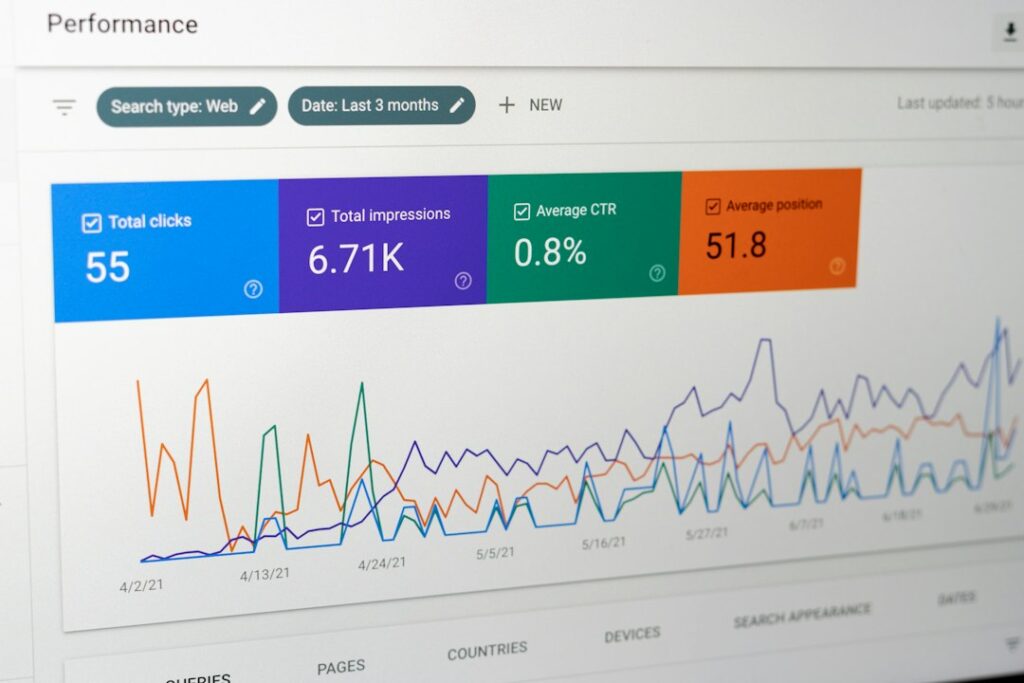
Keyword cannibalization happens when you publish multiple pages that target the same search intent. Google sees five articles about “email deliverability”, can’t decide which deserves the click, and rotates them through positions 8–15 whilst your competitor’s single consolidated guide sits at number two. You’re not fighting other sites—you’re fighting yourself.
The fix starts with an audit: export your Google Search Console queries, filter for terms where three or more URLs appear, then look for position volatility. If the same keyword triggers different URLs week to week, you’ve found cannibalization. The solution isn’t deletion—it’s consolidation or clear differentiation. Merge thin posts into one authoritative piece, add canonical tags to point at your preferred winner, or rewrite competing pages to target distinct long-tail variations. The goal is one dominant page per intent, not ten mediocre ones.
Most operators discover they’ve accidentally published the same article four times: once as a blog post, again as a landing page, a third time in a newsletter archive, and a fourth in a resource hub. Google sees duplicates and picks none. Fixing it means choosing your champion, redirecting the rest with 301s, and watching your preferred page climb as link equity consolidates.
TACTIC
When WordPress staging changes don’t reach production, check the sync boundaries
You fix a bug on staging, push to live, and three days later realise the uploaded PDFs never moved. Staging-to-production sync tools transfer database tables and theme files but skip the uploads directory, form submissions, and user-generated content by design. If your workflow assumes everything migrates automatically, you’ll ship incomplete deploys and spend hours hunting for orphaned assets. Knowing what transfers—and what requires manual SFTP or rsync—turns staging into a reliable preview environment instead of a source of production surprises.
READER QUESTION
Why your traffic source column says “direct” when you know it’s not
A reader asks: “Half my newsletter clicks show up as direct traffic in Google Analytics, even though I know they came from the email CTA.” The culprit is referrer blocking—privacy tools, email clients, and browser extensions strip the HTTP referrer header before the request reaches your server. Analytics can’t attribute what it can’t see, so legitimate clicks from Gmail, Apple Mail, and Proton land in the direct bucket. The fix isn’t forcing referrers back—it’s adding UTM parameters to every link you control so you tag the source before the header disappears.
FROM THE ARCHIVE
Your payment processor takes three cuts before you see the deposit
Stripe’s dashboard says you earned $5,000 last month, but your bank account shows $4,200 and you can’t find the missing $800. The gap isn’t an error—it’s fees, chargebacks, currency conversion, and payout timing layered across three separate ledgers. Stripe deducts processing fees before the balance, holds disputed transactions in escrow, converts international payments at a markup, and schedules payouts on a seven-day rolling cycle. Each deduction hits at a different stage, none of them appear in a single report, and the final number never matches the gross revenue you celebrate.
Know someone who would like this? Forward today’s email—every operator we reach is one closer to running an online business with a little less friction.