GA4 samples your reports at 500K sessions—here's the fix
The dashboard loads. You filter by landing page, then by source, then by device. The number in the top right corner drops by 40%. No warning, no asterisk—just fewer sessions than you had three seconds ago.
Google Analytics 4 samples your data long before you expect it to
GA4’s sampling threshold isn’t the 10 million events Google documents—it’s closer to 500,000 sessions per report.
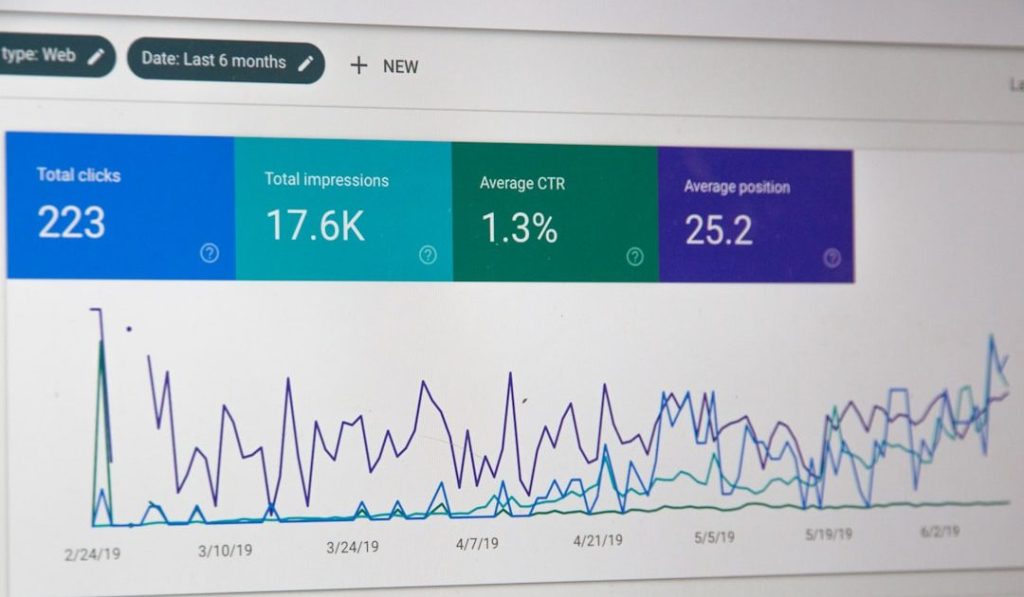
Google Analytics 4 starts sampling your reports the moment you apply certain combinations of filters, segments, or custom dimensions—even if your total property volume sits well below the documented 10 million event threshold. The sampling kicks in per report, not per property, and it happens silently. You’ll see a green “This report is based on 100% of available data” badge until you won’t, and by then you’ve already made three decisions on incomplete numbers.
The mechanics: GA4 samples when a query exceeds 500,000 sessions within the selected date range. Add a secondary dimension, apply an audience filter, or drill into a specific landing page, and you cross that line faster than you think. A site pulling 50,000 sessions per day hits the limit in ten days. The interface doesn’t warn you before you filter—it just recalculates your totals and hopes you notice the fine print.
Your options are narrow. You can shorten your date range, which makes trend analysis harder. You can export raw data to BigQuery and query it yourself, which works if you’re comfortable writing SQL and paying Google Cloud’s storage fees (starts around $5/month for most indie operators, scales with volume). Or you can switch to a platform that doesn’t sample—Plausible and Fathom both guarantee unsampled reporting at every tier, though neither offers the event flexibility GA4 does.
The better fix: know when you’re working with sampled data, note it in your reports, and decide whether the 10–15% margin of error GA4 introduces at moderate sampling rates actually changes the decision you’re about to make. If it does, export to BigQuery or switch tools. If it doesn’t, stop filtering so aggressively and move on.
ALTERNATIVE
Two privacy-first analytics tools that never sample your reports
Plausible and Fathom both promise unsampled data at every tier, but they differ in how they handle goals, funnels, and API access. Plausible gives you unlimited custom events on all paid plans; Fathom caps you at 10 goals on the cheapest tier and charges $24/month to raise it. Plausible’s interface is faster but less opinionated about what you should track. Fathom’s onboarding nudges you toward conversion tracking from day one. Both comply with GDPR without a cookie banner. Neither integrates with Google Ads or Facebook Ads Manager, so if you’re running paid campaigns and need auto-tagging, you’ll still need GA4 or a dedicated attribution tool running in parallel.
TACTIC
How GA4’s attribution window makes conversions disappear after you see them
Google Analytics 4 can show you a conversion on Monday and remove it from your reports by Wednesday—not because the user refunded, but because the attribution window reassigned credit to a different session. GA4’s default lookback is 30 days for most conversion events, but the interface recalculates totals every time the window shifts. If a user clicked an ad on day one, read an organic post on day fifteen, then converted on day sixteen, GA4 might credit the ad, then the organic session, then neither, depending on when you pull the report. The data isn’t wrong—it’s just not stable until the attribution window closes.
WORTH READING
When Zapier’s filter step wastes tasks and paths don’t
Zapier’s filter step stops a Zap cold if a condition isn’t met—but it still counts as a task, even when nothing happens downstream. Paths let you fork logic without burning a task on the branch you didn’t take. If you’re filtering more than half your Zap runs, you’re paying for tasks that do nothing. Paths cost the same per run but only charge for the branch that executes. The trade-off: paths add visual complexity to your Zap editor, and if you need to block a run entirely (rather than route it), a filter is still the right tool. The break-even point is around 40% filter rejection rate—above that, paths usually save money.
Know someone who would like this? Forward today’s email — every operator we reach is one closer to running an online business with a little less friction.